Type a slash: everything PI can do, explained where you pick it
type-a-slash-everything-pi-can-do

PIPress
Building traceable, high-quality scientific knowledge for AI. From research ideas to trusted publication, accelerating open science and open-source innovation.
3 min read
PI can do a lot more than answer questions. It can brief you on your field, map where the research runs thin, search the web for you, write a literature review, draw a diagram, chart your own library. Until now most of that sat behind a list of short commands you had to already know: a word after a slash and half a line of description, cut off at the edge.
Now the list explains itself.
Twenty-nine skills, grouped by what you want to do
Type / in the chat and PI shows its skills, listed by plain name and grouped by what you are
trying to do:
- Your research: your briefing, a map of your field, ideas from neighbouring fields, openings you could pursue, and research alerts.
- Find: search the Claims PIPress tracks, search the web, or ask why a Claim was ranked for you.
- Your library: your papers, adding one by link or file, linking your ORCID or Scholar profile.
- Write: reports, literature reviews, briefs, proposals, papers, patents, submission packages and posts.
- Draw & chart: a diagram you describe, or a chart of real numbers.
- Your lens: the standing rules for how PI talks to you, with every rule and lens you have saved listed right there; pick one to pause or resume it.
Move through the list with the arrow keys or the mouse. The skill you are on explains itself beside the list in two to four plain sentences: what it does, what to type after it, and what you get back.
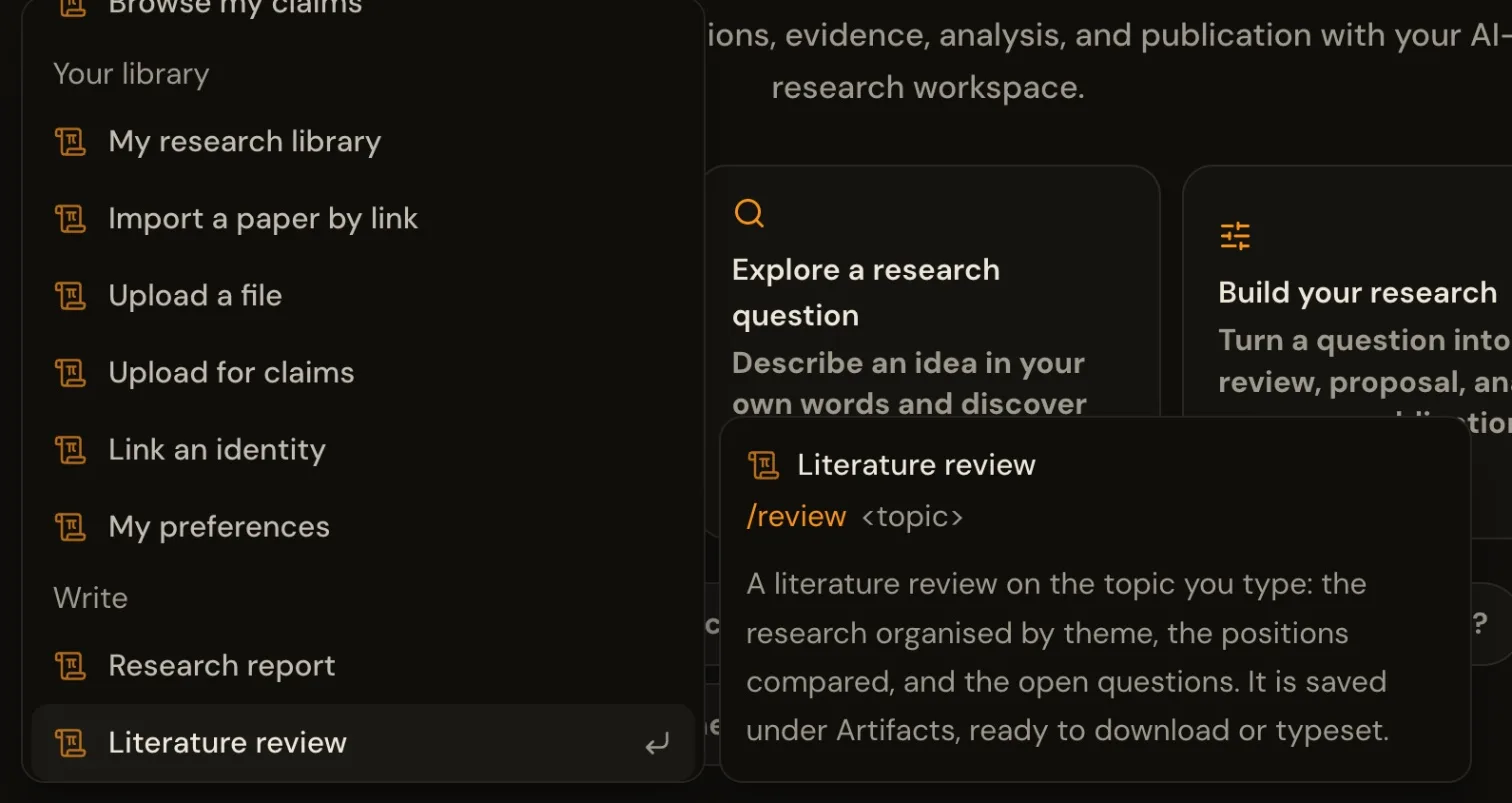 Keep typing to narrow it:
 /re leaves the research report and the literature review. Press
Enter to pick one. And you never have to: "what changed in my field this week?" does what
/briefing does, in your own words.
A lens, explained before you upload one
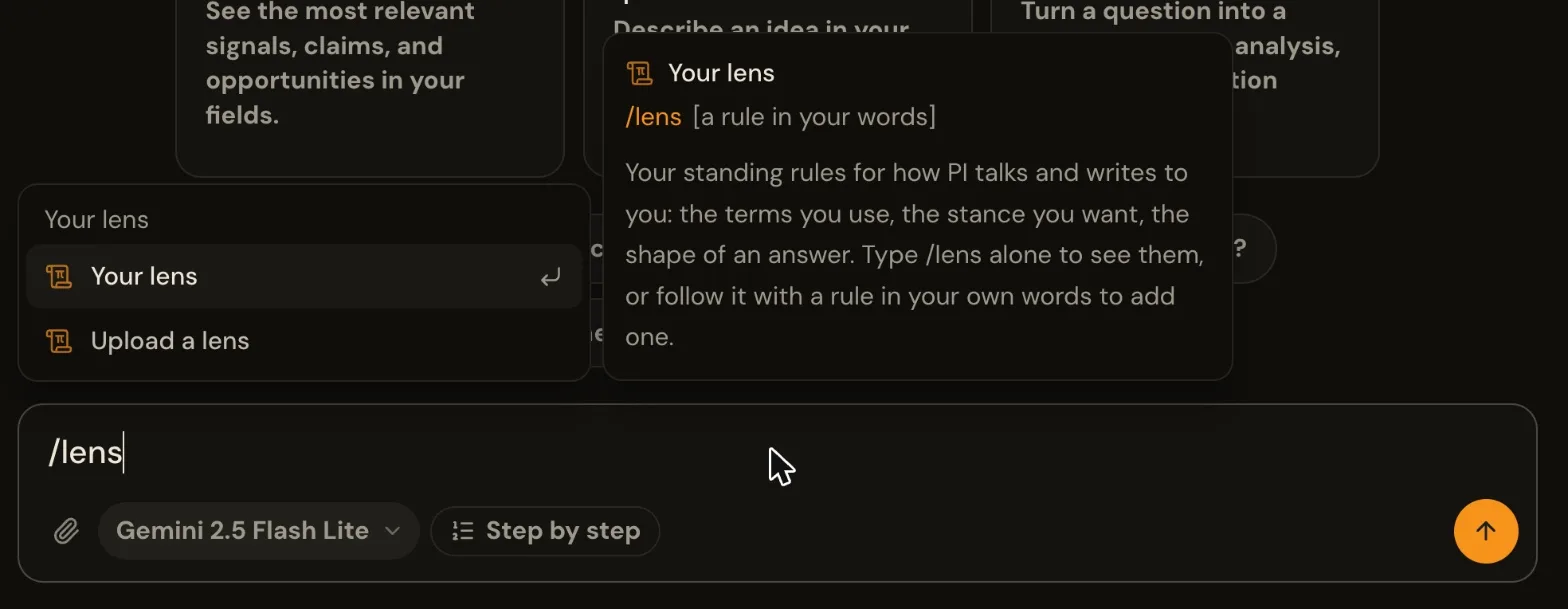
The same idea reaches your lens, the rules for how PI talks
and writes to you. Type /lens and the two lens skills appear: add a rule in your own words, or
upload a longer one as a file.
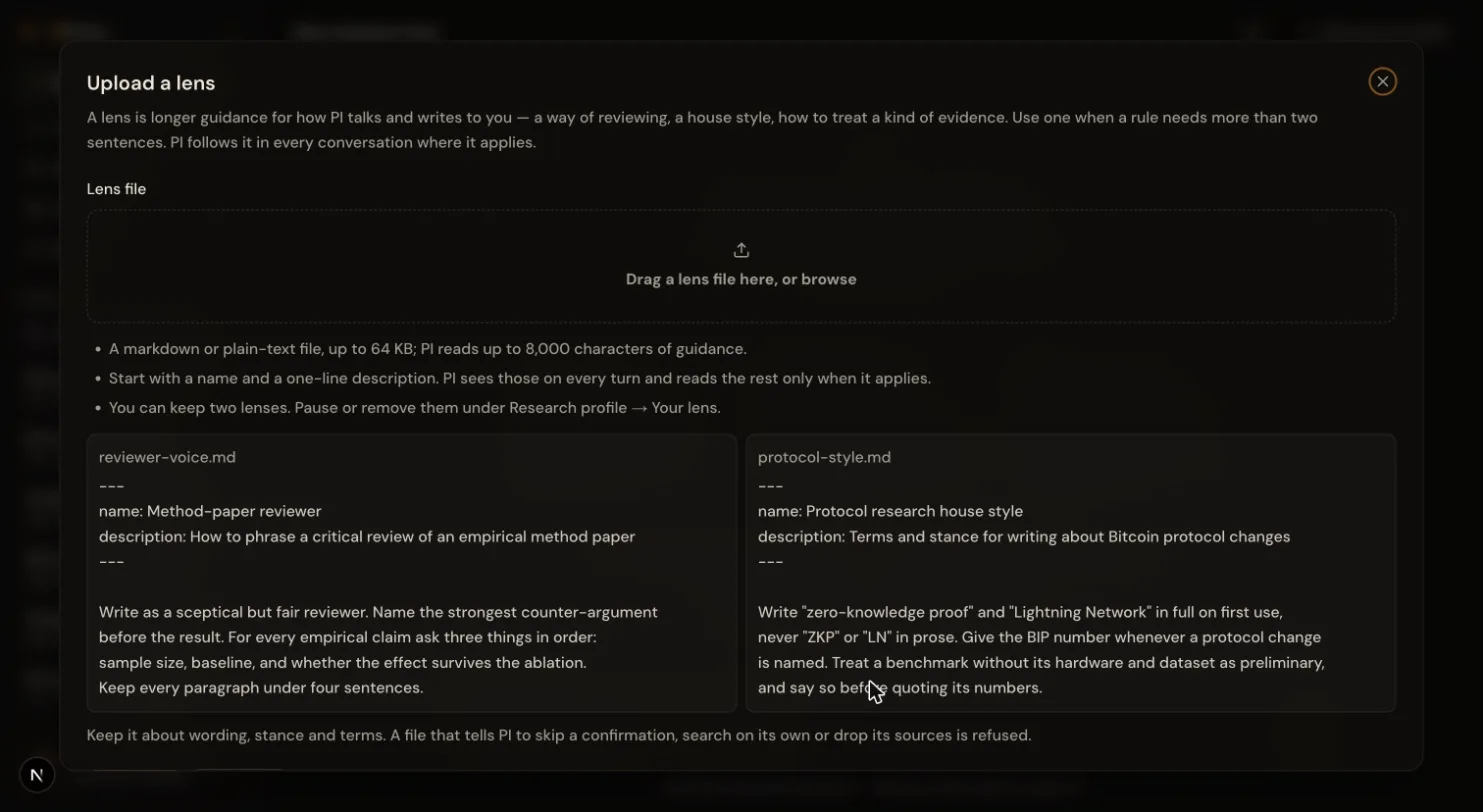
 Uploading no longer drops you straight into a file picker. A short window says what a lens file
is, when you would want one, and what it looks like, with two examples, before you drag yours in.
The same window opens from My Research Profile → Your lens.
Uploading no longer drops you straight into a file picker. A short window says what a lens file
is, when you would want one, and what it looks like, with two examples, before you drag yours in.
The same window opens from My Research Profile → Your lens.
 Live now → https://pipress.xyz/pi · the guide: https://pipress.xyz/docs/guide/pi
Help keep these ideas circulating
This is an independent project. If you'd like to help support it, you can make a contribution. But there's no obligation at all. Reading, sharing, and coming back is already a form of support.
Read also
1
Claims are published to an open network — readable without an account, without our permission, and not ours alone to wit…
2
A submission package now arrives as three files: a cover letter, the paper and the suggested venues. They open one at a …
3
PIPress now runs events with partners, starting with a two-day AI research hackathon in Kuala Lumpur. Registration is op…

Want to publish here too? No sign-up, and the text stays yours. Learn how to start
Replies (0)
Loading…