How to use it
A new way to post whatever you want and never be forced to delete it or even identify yourself. Your messages travel through a global network of professional and amateur servers, completely independent from one another.
You own your information and decide whether to delete it or not.
How to publish
- Sign in with a Persona: create a new one or import the one you already have.
- Keep your private key (nsec) somewhere safe. It's the only copy.
- Click the gear icon, then Profile. Reserve a handle and fill in your display name and bio. Your blog will live at @handle.
- In Write, write your text and publish.
- Copy the article link and share it.
Frequently asked questions
How much does it cost?
Nothing. The app has no subscription and never asks for a card or an email.
How long does it take?
A few minutes. The video above shows the whole path, from sign-in to publishing, in under a minute.
What if I lose my key?
It cannot be recovered. The key stays only in your browser and never goes to a server. Keep your nsec somewhere safe.
Can I delete what I published?
Yes, with “Delete post” in the admin panel. The deletion request is sent to the relays, and each relay decides whether to honor it. Copies other relays already stored may remain.
How to sign in
This app never asks for your private key through a form or social login, and doesn't depend on any browser extension. Your key (nsec) is encrypted only on this browser, inside the app itself. The first time you visit the admin area on this browser, you choose one of the two options below.
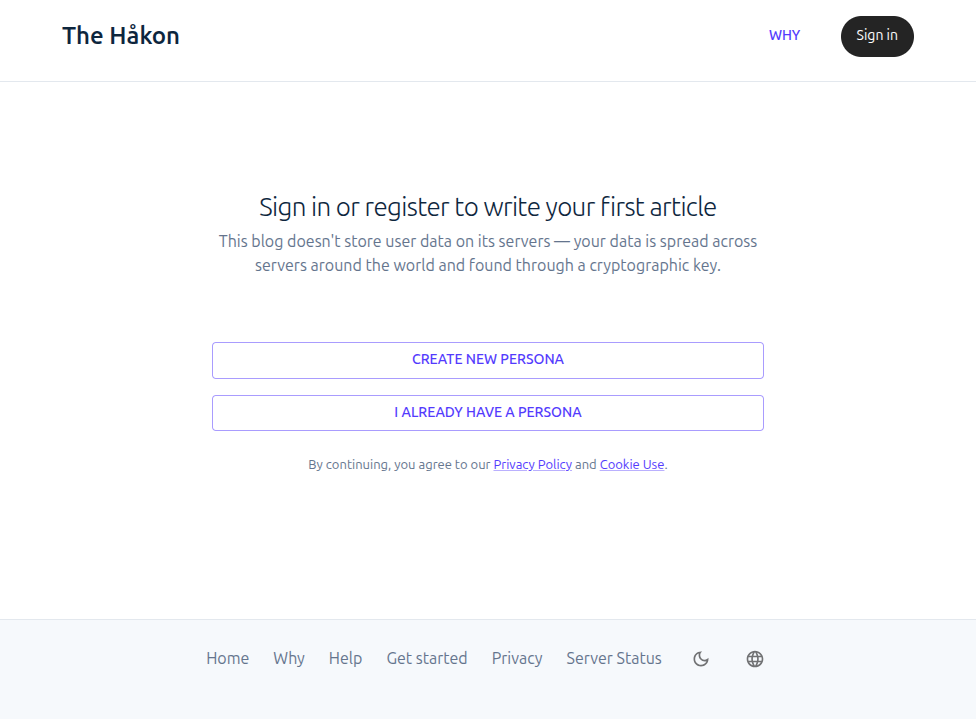
- Create new Persona: Generates a new key pair. Before continuing, the app shows your private key (nsec) once, with a copy button — save it somewhere safe. It's your only copy: losing this browser's data without having saved it elsewhere means losing that Persona.
- I already have a Persona: Paste the nsec you already have — from a Persona created here before, on another browser, or in another Nostr app — to use it on this browser.
The key is encrypted on this browser, never in plain text and never on any server — it's only used to sign what you publish.
Cookie use
This app doesn't use tracking or third-party cookies. What it stores stays only in your browser's local storage — never on a server, never shared with anyone:
- The language you chose.
- A signed post no relay has accepted yet, so you can try again without losing the text.
- The date you last opened notifications.
- Your Persona, if you created or imported one on this browser.
See the Privacy page for more details on what this app stores and doesn't.