Amber 3.2.1
Amber, 2/5/2025, 6 engagements

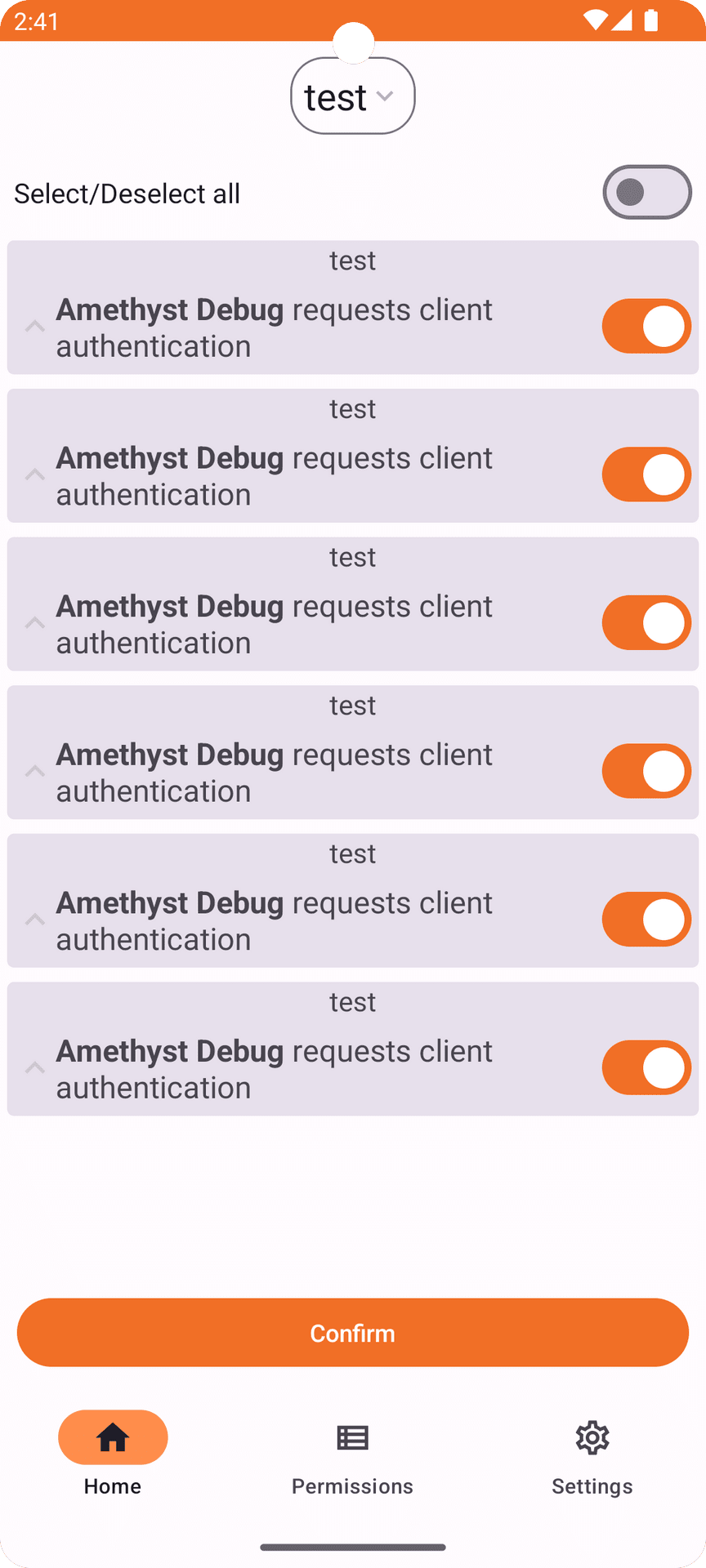
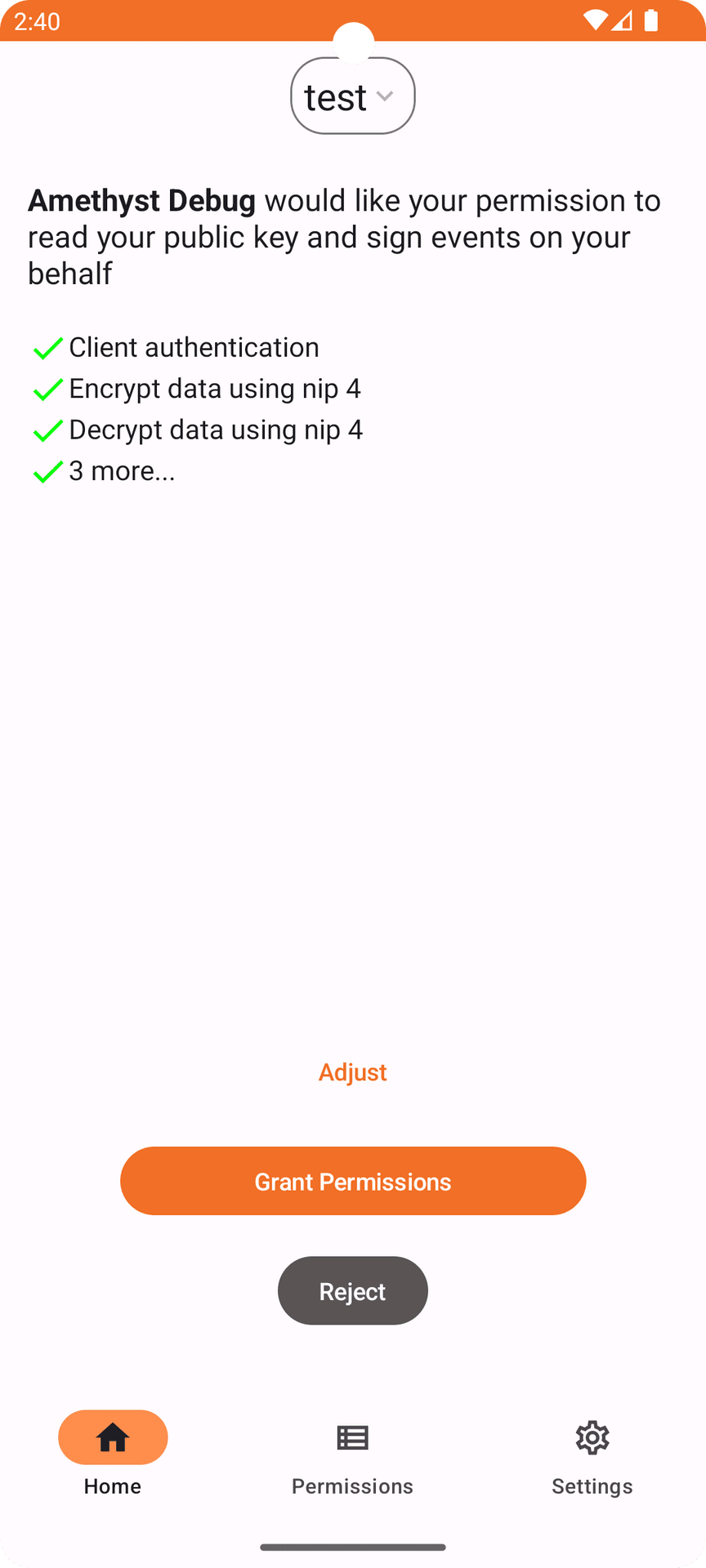
Amber is a nostr event signer for Android. It allows users to keep their nsec segregated in a single, dedicated app. The goal of Amber is to have your smartphone act as a NIP-46 signing device without any need for servers or additional hardware. "Private keys should be exposed to as few systems as possible as each system adds to the attack surface," as the rationale of said NIP states. In addition to native apps, Amber aims to support all current nostr web applications without requiring any extensions or web servers.
33690 sats received
Amber, 2/5/2025, 6 engagements
Amber, 1/27/2025, 4 engagements
Amber, 1/22/2025, 3 engagements
Download it with Zapstore, Obtainium, f-droid or download it directly in the releases page
If you like my work consider making a donation
In order to verify the release, you'll need to have gpg or gpg2 installed on your system. Once you've obtained a copy (and hopefully verified that as well), you'll first need to import the keys that have signed this release if you haven't done so already:
gpg --keyserver hkps://keys.openpgp.org --recv-keys 44F0AAEB77F373747E3D5444885822EED3A26A6D
Once you have his PGP key you can verify the release (assuming manifest-v6.6.9.txt and manifest-v6.6.9.txt.sig are in the current directory) with:
gpg --verify manifest-v6.6.9.txt.sig manifest-v6.6.9.txt
You should see the following if the verification was successful:
gpg: Signature made Fri 13 Sep 2024 08:06:52 AM -03
gpg:                using RSA key 44F0AAEB77F373747E3D5444885822EED3A26A6D
gpg: Good signature from "greenart7c3 <[email protected]>"
That will verify the signature on the main manifest page which ensures integrity and authenticity of the binaries you've downloaded locally. Next, depending on your operating system you should then re-calculate the sha256 sum of the binary, and compare that with the following hashes:
cat manifest-v6.6.9.txt
One can use the shasum -a 256 <file name here> tool in order to re-compute the sha256 hash of the target binary for your operating system. The produced hash should be compared with the hashes listed above and they should match exactly.
Release notes for previous versions live in docs/changelogs.
10/14/2026, 6 engagements
Download it with Zapstore, Obtainium, f-droid or download it directly in the releases page
If you like my work consider making a donation
In order to verify the release, you'll need to have gpg or gpg2 installed on your system. Once you've obtained a copy (and hopefully verified that as well), you'll first need to import the keys that have signed this release if you haven't done so already:
gpg --keyserver hkps://keys.openpgp.org --recv-keys 44F0AAEB77F373747E3D5444885822EED3A26A6D
Once you have his PGP key you can verify the release (assuming manifest-v6.6.8.txt and manifest-v6.6.8.txt.sig are in the current directory) with:
gpg --verify manifest-v6.6.8.txt.sig manifest-v6.6.8.txt
You should see the following if the verification was successful:
gpg: Signature made Fri 13 Sep 2024 08:06:52 AM -03
gpg:                using RSA key 44F0AAEB77F373747E3D5444885822EED3A26A6D
gpg: Good signature from "greenart7c3 <[email protected]>"
That will verify the signature on the main manifest page which ensures integrity and authenticity of the binaries you've downloaded locally. Next, depending on your operating system you should then re-calculate the sha256 sum of the binary, and compare that with the following hashes:
cat manifest-v6.6.8.txt
One can use the shasum -a 256 <file name here> tool in order to re-compute the sha256 hash of the target binary for your operating system. The produced hash should be compared with the hashes listed above and they should match exactly.
Release notes for previous versions live in docs/changelogs.
10/12/2026, 8 engagements
Download it with Zapstore, Obtainium, f-droid or download it directly in the releases page
If you like my work consider making a donation
In order to verify the release, you'll need to have gpg or gpg2 installed on your system. Once you've obtained a copy (and hopefully verified that as well), you'll first need to import the keys that have signed this release if you haven't done so already:
gpg --keyserver hkps://keys.openpgp.org --recv-keys 44F0AAEB77F373747E3D5444885822EED3A26A6D
Once you have his PGP key you can verify the release (assuming manifest-v6.6.7.txt and manifest-v6.6.7.txt.sig are in the current directory) with:
gpg --verify manifest-v6.6.7.txt.sig manifest-v6.6.7.txt
You should see the following if the verification was successful:
gpg: Signature made Fri 13 Sep 2024 08:06:52 AM -03
gpg:                using RSA key 44F0AAEB77F373747E3D5444885822EED3A26A6D
gpg: Good signature from "greenart7c3 <[email protected]>"
That will verify the signature on the main manifest page which ensures integrity and authenticity of the binaries you've downloaded locally. Next, depending on your operating system you should then re-calculate the sha256 sum of the binary, and compare that with the following hashes:
cat manifest-v6.6.7.txt
One can use the shasum -a 256 <file name here> tool in order to re-compute the sha256 hash of the target binary for your operating system. The produced hash should be compared with the hashes listed above and they should match exactly.
Release notes for previous versions live in docs/changelogs.
10/5/2026, 22 engagements
= (such as base64-padded secrets): the connect response returned mangled values instead of the original secret, so NDK-based clients failed their secret checkDownload it with Zapstore, Obtainium, f-droid or download it directly in the releases page
If you like my work consider making a donation
In order to verify the release, you'll need to have gpg or gpg2 installed on your system. Once you've obtained a copy (and hopefully verified that as well), you'll first need to import the keys that have signed this release if you haven't done so already:
gpg --keyserver hkps://keys.openpgp.org --recv-keys 44F0AAEB77F373747E3D5444885822EED3A26A6D
Once you have his PGP key you can verify the release (assuming manifest-v6.6.6.txt and manifest-v6.6.6.txt.sig are in the current directory) with:
gpg --verify manifest-v6.6.6.txt.sig manifest-v6.6.6.txt
You should see the following if the verification was successful:
gpg: Signature made Fri 13 Sep 2024 08:06:52 AM -03
gpg:                using RSA key 44F0AAEB77F373747E3D5444885822EED3A26A6D
gpg: Good signature from "greenart7c3 <[email protected]>"
That will verify the signature on the main manifest page which ensures integrity and authenticity of the binaries you've downloaded locally. Next, depending on your operating system you should then re-calculate the sha256 sum of the binary, and compare that with the following hashes:
cat manifest-v6.6.6.txt
One can use the shasum -a 256 <file name here> tool in order to re-compute the sha256 hash of the target binary for your operating system. The produced hash should be compared with the hashes listed above and they should match exactly.
Release notes for previous versions live in docs/changelogs.
9/28/2026, 11 engagements
nip44_decrypt permission can no longer fetch the kind 30078 backup and read its payload, including per-app NIP-46 secrets and local keys; existing identity-encrypted backups still restore through a fallback until the next publish overwrites themDownload it with Zapstore, Obtainium, f-droid or download it directly in the releases page
If you like my work consider making a donation
In order to verify the release, you'll need to have gpg or gpg2 installed on your system. Once you've obtained a copy (and hopefully verified that as well), you'll first need to import the keys that have signed this release if you haven't done so already:
gpg --keyserver hkps://keys.openpgp.org --recv-keys 44F0AAEB77F373747E3D5444885822EED3A26A6D
Once you have his PGP key you can verify the release (assuming manifest-v6.6.5.txt and manifest-v6.6.5.txt.sig are in the current directory) with:
gpg --verify manifest-v6.6.5.txt.sig manifest-v6.6.5.txt
You should see the following if the verification was successful:
gpg: Signature made Fri 13 Sep 2024 08:06:52 AM -03
gpg:                using RSA key 44F0AAEB77F373747E3D5444885822EED3A26A6D
gpg: Good signature from "greenart7c3 <[email protected]>"
That will verify the signature on the main manifest page which ensures integrity and authenticity of the binaries you've downloaded locally. Next, depending on your operating system you should then re-calculate the sha256 sum of the binary, and compare that with the following hashes:
cat manifest-v6.6.5.txt
One can use the shasum -a 256 <file name here> tool in order to re-compute the sha256 hash of the target binary for your operating system. The produced hash should be compared with the hashes listed above and they should match exactly.
Release notes for previous versions live in docs/changelogs.
9/21/2026, 17 engagements
SecurityException from WorkManager network tracking left over from an upgradeDownload it with Zapstore, Obtainium, f-droid or download it directly in the releases page
If you like my work consider making a donation
In order to verify the release, you'll need to have gpg or gpg2 installed on your system. Once you've obtained a copy (and hopefully verified that as well), you'll first need to import the keys that have signed this release if you haven't done so already:
gpg --keyserver hkps://keys.openpgp.org --recv-keys 44F0AAEB77F373747E3D5444885822EED3A26A6D
Once you have his PGP key you can verify the release (assuming manifest-v6.6.3.txt and manifest-v6.6.3.txt.sig are in the current directory) with:
gpg --verify manifest-v6.6.3.txt.sig manifest-v6.6.3.txt
You should see the following if the verification was successful:
gpg: Signature made Fri 13 Sep 2024 08:06:52 AM -03
gpg:                using RSA key 44F0AAEB77F373747E3D5444885822EED3A26A6D
gpg: Good signature from "greenart7c3 <[email protected]>"
That will verify the signature on the main manifest page which ensures integrity and authenticity of the binaries you've downloaded locally. Next, depending on your operating system you should then re-calculate the sha256 sum of the binary, and compare that with the following hashes:
cat manifest-v6.6.3.txt
One can use the shasum -a 256 <file name here> tool in order to re-compute the sha256 hash of the target binary for your operating system. The produced hash should be compared with the hashes listed above and they should match exactly.
Release notes for previous versions live in docs/changelogs.
9/9/2026, 7 engagements
kind field in its JSON, so the whole list no longer fails to loadauth.nostr1.com, bucket.coracle.social, nrs.primal.net and relay.nip46.com, and add indexer.coracle.social to the default indexer relays (#518)Download it with Zapstore, Obtainium, f-droid or download it directly in the releases page
If you like my work consider making a donation
In order to verify the release, you'll need to have gpg or gpg2 installed on your system. Once you've obtained a copy (and hopefully verified that as well), you'll first need to import the keys that have signed this release if you haven't done so already:
gpg --keyserver hkps://keys.openpgp.org --recv-keys 44F0AAEB77F373747E3D5444885822EED3A26A6D
Once you have his PGP key you can verify the release (assuming manifest-v6.6.1.txt and manifest-v6.6.1.txt.sig are in the current directory) with:
gpg --verify manifest-v6.6.1.txt.sig manifest-v6.6.1.txt
You should see the following if the verification was successful:
gpg: Signature made Fri 13 Sep 2024 08:06:52 AM -03
gpg:                using RSA key 44F0AAEB77F373747E3D5444885822EED3A26A6D
gpg: Good signature from "greenart7c3 <[email protected]>"
That will verify the signature on the main manifest page which ensures integrity and authenticity of the binaries you've downloaded locally. Next, depending on your operating system you should then re-calculate the sha256 sum of the binary, and compare that with the following hashes:
cat manifest-v6.6.1.txt
One can use the shasum -a 256 <file name here> tool in order to re-compute the sha256 hash of the target binary for your operating system. The produced hash should be compared with the hashes listed above and they should match exactly.
Release notes for previous versions live in docs/changelogs.
9/4/2026, 6 engagements
Download it with Zapstore, Obtainium, f-droid or download it directly in the releases page
If you like my work consider making a donation
In order to verify the release, you'll need to have gpg or gpg2 installed on your system. Once you've obtained a copy (and hopefully verified that as well), you'll first need to import the keys that have signed this release if you haven't done so already:
gpg --keyserver hkps://keys.openpgp.org --recv-keys 44F0AAEB77F373747E3D5444885822EED3A26A6D
Once you have his PGP key you can verify the release (assuming manifest-v6.6.0.txt and manifest-v6.6.0.txt.sig are in the current directory) with:
gpg --verify manifest-v6.6.0.txt.sig manifest-v6.6.0.txt
You should see the following if the verification was successful:
gpg: Signature made Fri 13 Sep 2024 08:06:52 AM -03
gpg:                using RSA key 44F0AAEB77F373747E3D5444885822EED3A26A6D
gpg: Good signature from "greenart7c3 <[email protected]>"
That will verify the signature on the main manifest page which ensures integrity and authenticity of the binaries you've downloaded locally. Next, depending on your operating system you should then re-calculate the sha256 sum of the binary, and compare that with the following hashes:
cat manifest-v6.6.0.txt
One can use the shasum -a 256 <file name here> tool in order to re-compute the sha256 hash of the target binary for your operating system. The produced hash should be compared with the hashes listed above and they should match exactly.
Release notes for previous versions live in docs/changelogs.
8/31/2026, 19 engagements
secret/localKey columns it doesn't render, and the Keystore key handle is cached instead of re-fetched for every decryptionDownload it with Zapstore, Obtainium, f-droid or download it directly in the releases page
If you like my work consider making a donation
In order to verify the release, you'll need to have gpg or gpg2 installed on your system. Once you've obtained a copy (and hopefully verified that as well), you'll first need to import the keys that have signed this release if you haven't done so already:
gpg --keyserver hkps://keys.openpgp.org --recv-keys 44F0AAEB77F373747E3D5444885822EED3A26A6D
Once you have his PGP key you can verify the release (assuming manifest-v6.5.2.txt and manifest-v6.5.2.txt.sig are in the current directory) with:
gpg --verify manifest-v6.5.2.txt.sig manifest-v6.5.2.txt
You should see the following if the verification was successful:
gpg: Signature made Fri 13 Sep 2024 08:06:52 AM -03
gpg:                using RSA key 44F0AAEB77F373747E3D5444885822EED3A26A6D
gpg: Good signature from "greenart7c3 <[email protected]>"
That will verify the signature on the main manifest page which ensures integrity and authenticity of the binaries you've downloaded locally. Next, depending on your operating system you should then re-calculate the sha256 sum of the binary, and compare that with the following hashes:
cat manifest-v6.5.2.txt
One can use the shasum -a 256 <file name here> tool in order to re-compute the sha256 hash of the target binary for your operating system. The produced hash should be compared with the hashes listed above and they should match exactly.
Release notes for previous versions live in docs/changelogs.
8/18/2026, 5 engagements
Download it with Zapstore, Obtainium, f-droid or download it directly in the releases page
If you like my work consider making a donation
In order to verify the release, you'll need to have gpg or gpg2 installed on your system. Once you've obtained a copy (and hopefully verified that as well), you'll first need to import the keys that have signed this release if you haven't done so already:
gpg --keyserver hkps://keys.openpgp.org --recv-keys 44F0AAEB77F373747E3D5444885822EED3A26A6D
Once you have his PGP key you can verify the release (assuming manifest-v6.5.1.txt and manifest-v6.5.1.txt.sig are in the current directory) with:
gpg --verify manifest-v6.5.1.txt.sig manifest-v6.5.1.txt
You should see the following if the verification was successful:
gpg: Signature made Fri 13 Sep 2024 08:06:52 AM -03
gpg:                using RSA key 44F0AAEB77F373747E3D5444885822EED3A26A6D
gpg: Good signature from "greenart7c3 <[email protected]>"
That will verify the signature on the main manifest page which ensures integrity and authenticity of the binaries you've downloaded locally. Next, depending on your operating system you should then re-calculate the sha256 sum of the binary, and compare that with the following hashes:
cat manifest-v6.5.1.txt
One can use the shasum -a 256 <file name here> tool in order to re-compute the sha256 hash of the target binary for your operating system. The produced hash should be compared with the hashes listed above and they should match exactly.
Release notes for previous versions live in docs/changelogs.
8/14/2026, 6 engagements
Download it with Zapstore, Obtainium, f-droid or download it directly in the releases page
If you like my work consider making a donation
In order to verify the release, you'll need to have gpg or gpg2 installed on your system. Once you've obtained a copy (and hopefully verified that as well), you'll first need to import the keys that have signed this release if you haven't done so already:
gpg --keyserver hkps://keys.openpgp.org --recv-keys 44F0AAEB77F373747E3D5444885822EED3A26A6D
Once you have his PGP key you can verify the release (assuming manifest-v6.5.0.txt and manifest-v6.5.0.txt.sig are in the current directory) with:
gpg --verify manifest-v6.5.0.txt.sig manifest-v6.5.0.txt
You should see the following if the verification was successful:
gpg: Signature made Fri 13 Sep 2024 08:06:52 AM -03
gpg:                using RSA key 44F0AAEB77F373747E3D5444885822EED3A26A6D
gpg: Good signature from "greenart7c3 <[email protected]>"
That will verify the signature on the main manifest page which ensures integrity and authenticity of the binaries you've downloaded locally. Next, depending on your operating system you should then re-calculate the sha256 sum of the binary, and compare that with the following hashes:
cat manifest-v6.5.0.txt
One can use the shasum -a 256 <file name here> tool in order to re-compute the sha256 hash of the target binary for your operating system. The produced hash should be compared with the hashes listed above and they should match exactly.
Release notes for previous versions live in docs/changelogs.
8/14/2026, 6 engagements
Download it with Zapstore, Obtainium, f-droid or download it directly in the releases page
If you like my work consider making a donation
In order to verify the release, you'll need to have gpg or gpg2 installed on your system. Once you've obtained a copy (and hopefully verified that as well), you'll first need to import the keys that have signed this release if you haven't done so already:
gpg --keyserver hkps://keys.openpgp.org --recv-keys 44F0AAEB77F373747E3D5444885822EED3A26A6D
Once you have his PGP key you can verify the release (assuming manifest-v6.4.0.txt and manifest-v6.4.0.txt.sig are in the current directory) with:
gpg --verify manifest-v6.4.0.txt.sig manifest-v6.4.0.txt
You should see the following if the verification was successful:
gpg: Signature made Fri 13 Sep 2024 08:06:52 AM -03
gpg:                using RSA key 44F0AAEB77F373747E3D5444885822EED3A26A6D
gpg: Good signature from "greenart7c3 <[email protected]>"
That will verify the signature on the main manifest page which ensures integrity and authenticity of the binaries you've downloaded locally. Next, depending on your operating system you should then re-calculate the sha256 sum of the binary, and compare that with the following hashes:
cat manifest-v6.4.0.txt
One can use the shasum -a 256 <file name here> tool in order to re-compute the sha256 hash of the target binary for your operating system. The produced hash should be compared with the hashes listed above and they should match exactly.
Release notes for previous versions live in docs/changelogs.
8/7/2026, 14 engagements
Download it with Zapstore, Obtainium, f-droid or download it directly in the releases page
If you like my work consider making a donation
In order to verify the release, you'll need to have gpg or gpg2 installed on your system. Once you've obtained a copy (and hopefully verified that as well), you'll first need to import the keys that have signed this release if you haven't done so already:
gpg --keyserver hkps://keys.openpgp.org --recv-keys 44F0AAEB77F373747E3D5444885822EED3A26A6D
Once you have his PGP key you can verify the release (assuming manifest-v6.3.0.txt and manifest-v6.3.0.txt.sig are in the current directory) with:
gpg --verify manifest-v6.3.0.txt.sig manifest-v6.3.0.txt
You should see the following if the verification was successful:
gpg: Signature made Fri 13 Sep 2024 08:06:52 AM -03
gpg:                using RSA key 44F0AAEB77F373747E3D5444885822EED3A26A6D
gpg: Good signature from "greenart7c3 <[email protected]>"
That will verify the signature on the main manifest page which ensures integrity and authenticity of the binaries you've downloaded locally. Next, depending on your operating system you should then re-calculate the sha256 sum of the binary, and compare that with the following hashes:
cat manifest-v6.3.0.txt
One can use the shasum -a 256 <file name here> tool in order to re-compute the sha256 hash of the target binary for your operating system. The produced hash should be compared with the hashes listed above and they should match exactly.
Release notes for previous versions live in docs/changelogs.
7/20/2026, 10 engagements
Download it with Zapstore, Obtainium, f-droid or download it directly in the releases page
If you like my work consider making a donation
In order to verify the release, you'll need to have gpg or gpg2 installed on your system. Once you've obtained a copy (and hopefully verified that as well), you'll first need to import the keys that have signed this release if you haven't done so already:
gpg --keyserver hkps://keys.openpgp.org --recv-keys 44F0AAEB77F373747E3D5444885822EED3A26A6D
Once you have his PGP key you can verify the release (assuming manifest-v6.2.3.txt and manifest-v6.2.3.txt.sig are in the current directory) with:
gpg --verify manifest-v6.2.3.txt.sig manifest-v6.2.3.txt
You should see the following if the verification was successful:
gpg: Signature made Fri 13 Sep 2024 08:06:52 AM -03
gpg:                using RSA key 44F0AAEB77F373747E3D5444885822EED3A26A6D
gpg: Good signature from "greenart7c3 <[email protected]>"
That will verify the signature on the main manifest page which ensures integrity and authenticity of the binaries you've downloaded locally. Next, depending on your operating system you should then re-calculate the sha256 sum of the binary, and compare that with the following hashes:
cat manifest-v6.2.3.txt
One can use the shasum -a 256 <file name here> tool in order to re-compute the sha256 hash of the target binary for your operating system. The produced hash should be compared with the hashes listed above and they should match exactly.
7/1/2026, 13 engagements
Download it with Zapstore, Obtainium, f-droid or download it directly in the releases page
If you like my work consider making a donation
In order to verify the release, you'll need to have gpg or gpg2 installed on your system. Once you've obtained a copy (and hopefully verified that as well), you'll first need to import the keys that have signed this release if you haven't done so already:
gpg --keyserver hkps://keys.openpgp.org --recv-keys 44F0AAEB77F373747E3D5444885822EED3A26A6D
Once you have his PGP key you can verify the release (assuming manifest-v6.2.1.txt and manifest-v6.2.1.txt.sig are in the current directory) with:
gpg --verify manifest-v6.2.1.txt.sig manifest-v6.2.1.txt
You should see the following if the verification was successful:
gpg: Signature made Fri 13 Sep 2024 08:06:52 AM -03
gpg:                using RSA key 44F0AAEB77F373747E3D5444885822EED3A26A6D
gpg: Good signature from "greenart7c3 <[email protected]>"
That will verify the signature on the main manifest page which ensures integrity and authenticity of the binaries you've downloaded locally. Next, depending on your operating system you should then re-calculate the sha256 sum of the binary, and compare that with the following hashes:
cat manifest-v6.2.1.txt
One can use the shasum -a 256 <file name here> tool in order to re-compute the sha256 hash of the target binary for your operating system. The produced hash should be compared with the hashes listed above and they should match exactly.
6/12/2026, 11 engagements
sign_message signer methodDownload it with Zapstore, Obtainium, f-droid or download it directly in the releases page
If you like my work consider making a donation
In order to verify the release, you'll need to have gpg or gpg2 installed on your system. Once you've obtained a copy (and hopefully verified that as well), you'll first need to import the keys that have signed this release if you haven't done so already:
gpg --keyserver hkps://keys.openpgp.org --recv-keys 44F0AAEB77F373747E3D5444885822EED3A26A6D
Once you have his PGP key you can verify the release (assuming manifest-v6.2.0.txt and manifest-v6.2.0.txt.sig are in the current directory) with:
gpg --verify manifest-v6.2.0.txt.sig manifest-v6.2.0.txt
You should see the following if the verification was successful:
gpg: Signature made Fri 13 Sep 2024 08:06:52 AM -03
gpg:                using RSA key 44F0AAEB77F373747E3D5444885822EED3A26A6D
gpg: Good signature from "greenart7c3 <[email protected]>"
That will verify the signature on the main manifest page which ensures integrity and authenticity of the binaries you've downloaded locally. Next, depending on your operating system you should then re-calculate the sha256 sum of the binary, and compare that with the following hashes:
cat manifest-v6.2.0.txt
One can use the shasum -a 256 <file name here> tool in order to re-compute the sha256 hash of the target binary for your operating system. The produced hash should be compared with the hashes listed above and they should match exactly.
6/1/2026, 20 engagements
Download it with Zapstore, Obtainium, f-droid or download it directly in the releases page
If you like my work consider making a donation
In order to verify the release, you'll need to have gpg or gpg2 installed on your system. Once you've obtained a copy (and hopefully verified that as well), you'll first need to import the keys that have signed this release if you haven't done so already:
gpg --keyserver hkps://keys.openpgp.org --recv-keys 44F0AAEB77F373747E3D5444885822EED3A26A6D
Once you have his PGP key you can verify the release (assuming manifest-v6.1.0.txt and manifest-v6.1.0.txt.sig are in the current directory) with:
gpg --verify manifest-v6.1.0.txt.sig manifest-v6.1.0.txt
You should see the following if the verification was successful:
gpg: Signature made Fri 13 Sep 2024 08:06:52 AM -03
gpg:                using RSA key 44F0AAEB77F373747E3D5444885822EED3A26A6D
gpg: Good signature from "greenart7c3 <[email protected]>"
That will verify the signature on the main manifest page which ensures integrity and authenticity of the binaries you've downloaded locally. Next, depending on your operating system you should then re-calculate the sha256 sum of the binary, and compare that with the following hashes:
cat manifest-v6.1.0.txt
One can use the shasum -a 256 <file name here> tool in order to re-compute the sha256 hash of the target binary for your operating system. The produced hash should be compared with the hashes listed above and they should match exactly.
5/25/2026, 15 engagements
Download it with Zapstore, Obtainium, f-droid or download it directly in the releases page
If you like my work consider making a donation
In order to verify the release, you'll need to have gpg or gpg2 installed on your system. Once you've obtained a copy (and hopefully verified that as well), you'll first need to import the keys that have signed this release if you haven't done so already:
gpg --keyserver hkps://keys.openpgp.org --recv-keys 44F0AAEB77F373747E3D5444885822EED3A26A6D
Once you have his PGP key you can verify the release (assuming manifest-v6.1.0-pre3.txt and manifest-v6.1.0-pre3.txt.sig are in the current directory) with:
gpg --verify manifest-v6.1.0-pre3.txt.sig manifest-v6.1.0-pre3.txt
You should see the following if the verification was successful:
gpg: Signature made Fri 13 Sep 2024 08:06:52 AM -03
gpg:                using RSA key 44F0AAEB77F373747E3D5444885822EED3A26A6D
gpg: Good signature from "greenart7c3 <[email protected]>"
That will verify the signature on the main manifest page which ensures integrity and authenticity of the binaries you've downloaded locally. Next, depending on your operating system you should then re-calculate the sha256 sum of the binary, and compare that with the following hashes:
cat manifest-v6.1.0-pre3.txt
One can use the shasum -a 256 <file name here> tool in order to re-compute the sha256 hash of the target binary for your operating system. The produced hash should be compared with the hashes listed above and they should match exactly.
5/18/2026, 1 engagement
Download it with Zapstore, Obtainium, f-droid or download it directly in the releases page
If you like my work consider making a donation
In order to verify the release, you'll need to have gpg or gpg2 installed on your system. Once you've obtained a copy (and hopefully verified that as well), you'll first need to import the keys that have signed this release if you haven't done so already:
gpg --keyserver hkps://keys.openpgp.org --recv-keys 44F0AAEB77F373747E3D5444885822EED3A26A6D
Once you have his PGP key you can verify the release (assuming manifest-v6.1.0-pre2.txt and manifest-v6.1.0-pre2.txt.sig are in the current directory) with:
gpg --verify manifest-v6.1.0-pre2.txt.sig manifest-v6.1.0-pre2.txt
You should see the following if the verification was successful:
gpg: Signature made Fri 13 Sep 2024 08:06:52 AM -03
gpg:                using RSA key 44F0AAEB77F373747E3D5444885822EED3A26A6D
gpg: Good signature from "greenart7c3 <[email protected]>"
That will verify the signature on the main manifest page which ensures integrity and authenticity of the binaries you've downloaded locally. Next, depending on your operating system you should then re-calculate the sha256 sum of the binary, and compare that with the following hashes:
cat manifest-v6.1.0-pre2.txt
One can use the shasum -a 256 <file name here> tool in order to re-compute the sha256 hash of the target binary for your operating system. The produced hash should be compared with the hashes listed above and they should match exactly.
Download it with Zapstore, Obtainium, f-droid or download it directly in the releases page
If you like my work consider making a donation
In order to verify the release, you'll need to have gpg or gpg2 installed on your system. Once you've obtained a copy (and hopefully verified that as well), you'll first need to import the keys that have signed this release if you haven't done so already:
gpg --keyserver hkps://keys.openpgp.org --recv-keys 44F0AAEB77F373747E3D5444885822EED3A26A6D
Once you have his PGP key you can verify the release (assuming manifest-v6.1.0-pre1.txt and manifest-v6.1.0-pre1.txt.sig are in the current directory) with:
gpg --verify manifest-v6.1.0-pre1.txt.sig manifest-v6.1.0-pre1.txt
You should see the following if the verification was successful:
gpg: Signature made Fri 13 Sep 2024 08:06:52 AM -03
gpg:                using RSA key 44F0AAEB77F373747E3D5444885822EED3A26A6D
gpg: Good signature from "greenart7c3 <[email protected]>"
That will verify the signature on the main manifest page which ensures integrity and authenticity of the binaries you've downloaded locally. Next, depending on your operating system you should then re-calculate the sha256 sum of the binary, and compare that with the following hashes:
cat manifest-v6.1.0-pre1.txt
One can use the shasum -a 256 <file name here> tool in order to re-compute the sha256 hash of the target binary for your operating system. The produced hash should be compared with the hashes listed above and they should match exactly.
4/29/2026, 2 engagements
Download it with Zapstore, Obtainium, f-droid or download it directly in the releases page
If you like my work consider making a donation
In order to verify the release, you'll need to have gpg or gpg2 installed on your system. Once you've obtained a copy (and hopefully verified that as well), you'll first need to import the keys that have signed this release if you haven't done so already:
gpg --keyserver hkps://keys.openpgp.org --recv-keys 44F0AAEB77F373747E3D5444885822EED3A26A6D
Once you have his PGP key you can verify the release (assuming manifest-v6.0.3.txt and manifest-v6.0.3.txt.sig are in the current directory) with:
gpg --verify manifest-v6.0.3.txt.sig manifest-v6.0.3.txt
You should see the following if the verification was successful:
gpg: Signature made Fri 13 Sep 2024 08:06:52 AM -03
gpg:                using RSA key 44F0AAEB77F373747E3D5444885822EED3A26A6D
gpg: Good signature from "greenart7c3 <[email protected]>"
That will verify the signature on the main manifest page which ensures integrity and authenticity of the binaries you've downloaded locally. Next, depending on your operating system you should then re-calculate the sha256 sum of the binary, and compare that with the following hashes:
cat manifest-v6.0.3.txt
One can use the shasum -a 256 <file name here> tool in order to re-compute the sha256 hash of the target binary for your operating system. The produced hash should be compared with the hashes listed above and they should match exactly.
4/15/2026, 1 engagement
Download it with Zapstore, Obtainium, f-droid or download it directly in the releases page
If you like my work consider making a donation
In order to verify the release, you'll need to have gpg or gpg2 installed on your system. Once you've obtained a copy (and hopefully verified that as well), you'll first need to import the keys that have signed this release if you haven't done so already:
gpg --keyserver hkps://keys.openpgp.org --recv-keys 44F0AAEB77F373747E3D5444885822EED3A26A6D
Once you have his PGP key you can verify the release (assuming manifest-v6.0.2.txt and manifest-v6.0.2.txt.sig are in the current directory) with:
gpg --verify manifest-v6.0.2.txt.sig manifest-v6.0.2.txt
You should see the following if the verification was successful:
gpg: Signature made Fri 13 Sep 2024 08:06:52 AM -03
gpg:                using RSA key 44F0AAEB77F373747E3D5444885822EED3A26A6D
gpg: Good signature from "greenart7c3 <[email protected]>"
That will verify the signature on the main manifest page which ensures integrity and authenticity of the binaries you've downloaded locally. Next, depending on your operating system you should then re-calculate the sha256 sum of the binary, and compare that with the following hashes:
cat manifest-v6.0.2.txt
One can use the shasum -a 256 <file name here> tool in order to re-compute the sha256 hash of the target binary for your operating system. The produced hash should be compared with the hashes listed above and they should match exactly.
Download it with Zapstore, Obtainium, f-droid or download it directly in the releases page
If you like my work consider making a donation
In order to verify the release, you'll need to have gpg or gpg2 installed on your system. Once you've obtained a copy (and hopefully verified that as well), you'll first need to import the keys that have signed this release if you haven't done so already:
gpg --keyserver hkps://keys.openpgp.org --recv-keys 44F0AAEB77F373747E3D5444885822EED3A26A6D
Once you have his PGP key you can verify the release (assuming manifest-v6.0.1.txt and manifest-v6.0.1.txt.sig are in the current directory) with:
gpg --verify manifest-v6.0.1.txt.sig manifest-v6.0.1.txt
You should see the following if the verification was successful:
gpg: Signature made Fri 13 Sep 2024 08:06:52 AM -03
gpg:                using RSA key 44F0AAEB77F373747E3D5444885822EED3A26A6D
gpg: Good signature from "greenart7c3 <[email protected]>"
That will verify the signature on the main manifest page which ensures integrity and authenticity of the binaries you've downloaded locally. Next, depending on your operating system you should then re-calculate the sha256 sum of the binary, and compare that with the following hashes:
cat manifest-v6.0.1.txt
One can use the shasum -a 256 <file name here> tool in order to re-compute the sha256 hash of the target binary for your operating system. The produced hash should be compared with the hashes listed above and they should match exactly.
Download it with Zapstore, Obtainium, f-droid or download it directly in the releases page
If you like my work consider making a donation
In order to verify the release, you'll need to have gpg or gpg2 installed on your system. Once you've obtained a copy (and hopefully verified that as well), you'll first need to import the keys that have signed this release if you haven't done so already:
gpg --keyserver hkps://keys.openpgp.org --recv-keys 44F0AAEB77F373747E3D5444885822EED3A26A6D
Once you have his PGP key you can verify the release (assuming manifest-v6.0.0.txt and manifest-v6.0.0.txt.sig are in the current directory) with:
gpg --verify manifest-v6.0.0.txt.sig manifest-v6.0.0.txt
You should see the following if the verification was successful:
gpg: Signature made Fri 13 Sep 2024 08:06:52 AM -03
gpg:                using RSA key 44F0AAEB77F373747E3D5444885822EED3A26A6D
gpg: Good signature from "greenart7c3 <[email protected]>"
That will verify the signature on the main manifest page which ensures integrity and authenticity of the binaries you've downloaded locally. Next, depending on your operating system you should then re-calculate the sha256 sum of the binary, and compare that with the following hashes:
cat manifest-v6.0.0.txt
One can use the shasum -a 256 <file name here> tool in order to re-compute the sha256 hash of the target binary for your operating system. The produced hash should be compared with the hashes listed above and they should match exactly.
4/8/2026, 1 engagement
Download it with Zapstore, Obtainium, f-droid or download it directly in the releases page
If you like my work consider making a donation
In order to verify the release, you'll need to have gpg or gpg2 installed on your system. Once you've obtained a copy (and hopefully verified that as well), you'll first need to import the keys that have signed this release if you haven't done so already:
gpg --keyserver hkps://keys.openpgp.org --recv-keys 44F0AAEB77F373747E3D5444885822EED3A26A6D
Once you have his PGP key you can verify the release (assuming manifest-v6.0.0-pre1.txt and manifest-v6.0.0-pre1.txt.sig are in the current directory) with:
gpg --verify manifest-v6.0.0-pre1.txt.sig manifest-v6.0.0-pre1.txt
You should see the following if the verification was successful:
gpg: Signature made Fri 13 Sep 2024 08:06:52 AM -03
gpg:                using RSA key 44F0AAEB77F373747E3D5444885822EED3A26A6D
gpg: Good signature from "greenart7c3 <[email protected]>"
That will verify the signature on the main manifest page which ensures integrity and authenticity of the binaries you've downloaded locally. Next, depending on your operating system you should then re-calculate the sha256 sum of the binary, and compare that with the following hashes:
cat manifest-v6.0.0-pre1.txt
One can use the shasum -a 256 <file name here> tool in order to re-compute the sha256 hash of the target binary for your operating system. The produced hash should be compared with the hashes listed above and they should match exactly.
4/1/2026, 1 engagement
Download it with Zapstore, Obtainium, f-droid or download it directly in the releases page
If you like my work consider making a donation
In order to verify the release, you'll need to have gpg or gpg2 installed on your system. Once you've obtained a copy (and hopefully verified that as well), you'll first need to import the keys that have signed this release if you haven't done so already:
gpg --keyserver hkps://keys.openpgp.org --recv-keys 44F0AAEB77F373747E3D5444885822EED3A26A6D
Once you have his PGP key you can verify the release (assuming manifest-v5.0.4.txt and manifest-v5.0.4.txt.sig are in the current directory) with:
gpg --verify manifest-v5.0.4.txt.sig manifest-v5.0.4.txt
You should see the following if the verification was successful:
gpg: Signature made Fri 13 Sep 2024 08:06:52 AM -03
gpg:                using RSA key 44F0AAEB77F373747E3D5444885822EED3A26A6D
gpg: Good signature from "greenart7c3 <[email protected]>"
That will verify the signature on the main manifest page which ensures integrity and authenticity of the binaries you've downloaded locally. Next, depending on your operating system you should then re-calculate the sha256 sum of the binary, and compare that with the following hashes:
cat manifest-v5.0.4.txt
One can use the shasum -a 256 <file name here> tool in order to re-compute the sha256 hash of the target binary for your operating system. The produced hash should be compared with the hashes listed above and they should match exactly.
3/27/2026, 2 engagements
Download it with Zapstore, Obtainium, f-droid or download it directly in the releases page
If you like my work consider making a donation
In order to verify the release, you'll need to have gpg or gpg2 installed on your system. Once you've obtained a copy (and hopefully verified that as well), you'll first need to import the keys that have signed this release if you haven't done so already:
gpg --keyserver hkps://keys.openpgp.org --recv-keys 44F0AAEB77F373747E3D5444885822EED3A26A6D
Once you have his PGP key you can verify the release (assuming manifest-v5.0.2.txt and manifest-v5.0.2.txt.sig are in the current directory) with:
gpg --verify manifest-v5.0.2.txt.sig manifest-v5.0.2.txt
You should see the following if the verification was successful:
gpg: Signature made Fri 13 Sep 2024 08:06:52 AM -03
gpg:                using RSA key 44F0AAEB77F373747E3D5444885822EED3A26A6D
gpg: Good signature from "greenart7c3 <[email protected]>"
That will verify the signature on the main manifest page which ensures integrity and authenticity of the binaries you've downloaded locally. Next, depending on your operating system you should then re-calculate the sha256 sum of the binary, and compare that with the following hashes:
cat manifest-v5.0.2.txt
One can use the shasum -a 256 <file name here> tool in order to re-compute the sha256 hash of the target binary for your operating system. The produced hash should be compared with the hashes listed above and they should match exactly.
3/27/2026, 1 engagement
Download it with Zapstore, Obtainium, f-droid or download it directly in the releases page
If you like my work consider making a donation
In order to verify the release, you'll need to have gpg or gpg2 installed on your system. Once you've obtained a copy (and hopefully verified that as well), you'll first need to import the keys that have signed this release if you haven't done so already:
gpg --keyserver hkps://keys.openpgp.org --recv-keys 44F0AAEB77F373747E3D5444885822EED3A26A6D
Once you have his PGP key you can verify the release (assuming manifest-v5.0.1.txt and manifest-v5.0.1.txt.sig are in the current directory) with:
gpg --verify manifest-v5.0.1.txt.sig manifest-v5.0.1.txt
You should see the following if the verification was successful:
gpg: Signature made Fri 13 Sep 2024 08:06:52 AM -03
gpg:                using RSA key 44F0AAEB77F373747E3D5444885822EED3A26A6D
gpg: Good signature from "greenart7c3 <[email protected]>"
That will verify the signature on the main manifest page which ensures integrity and authenticity of the binaries you've downloaded locally. Next, depending on your operating system you should then re-calculate the sha256 sum of the binary, and compare that with the following hashes:
cat manifest-v5.0.1.txt
One can use the shasum -a 256 <file name here> tool in order to re-compute the sha256 hash of the target binary for your operating system. The produced hash should be compared with the hashes listed above and they should match exactly.
3/18/2026, 2 engagements
Download it with Zapstore, Obtainium, f-droid or download it directly in the releases page
If you like my work consider making a donation
In order to verify the release, you'll need to have gpg or gpg2 installed on your system. Once you've obtained a copy (and hopefully verified that as well), you'll first need to import the keys that have signed this release if you haven't done so already:
gpg --keyserver hkps://keys.openpgp.org --recv-keys 44F0AAEB77F373747E3D5444885822EED3A26A6D
Once you have his PGP key you can verify the release (assuming manifest-v5.0.0.txt and manifest-v5.0.0.txt.sig are in the current directory) with:
gpg --verify manifest-v5.0.0.txt.sig manifest-v5.0.0.txt
You should see the following if the verification was successful:
gpg: Signature made Fri 13 Sep 2024 08:06:52 AM -03
gpg:                using RSA key 44F0AAEB77F373747E3D5444885822EED3A26A6D
gpg: Good signature from "greenart7c3 <[email protected]>"
That will verify the signature on the main manifest page which ensures integrity and authenticity of the binaries you've downloaded locally. Next, depending on your operating system you should then re-calculate the sha256 sum of the binary, and compare that with the following hashes:
cat manifest-v5.0.0.txt
One can use the shasum -a 256 <file name here> tool in order to re-compute the sha256 hash of the target binary for your operating system. The produced hash should be compared with the hashes listed above and they should match exactly.
3/18/2026, 7 engagements
Download it with Zapstore, Obtainium, f-droid or download it directly in the releases page
If you like my work consider making a donation
In order to verify the release, you'll need to have gpg or gpg2 installed on your system. Once you've obtained a copy (and hopefully verified that as well), you'll first need to import the keys that have signed this release if you haven't done so already:
gpg --keyserver hkps://keys.openpgp.org --recv-keys 44F0AAEB77F373747E3D5444885822EED3A26A6D
Once you have his PGP key you can verify the release (assuming manifest-v4.1.3.txt and manifest-v4.1.3.txt.sig are in the current directory) with:
gpg --verify manifest-v4.1.3.txt.sig manifest-v4.1.3.txt
You should see the following if the verification was successful:
gpg: Signature made Fri 13 Sep 2024 08:06:52 AM -03
gpg:                using RSA key 44F0AAEB77F373747E3D5444885822EED3A26A6D
gpg: Good signature from "greenart7c3 <[email protected]>"
That will verify the signature on the main manifest page which ensures integrity and authenticity of the binaries you've downloaded locally. Next, depending on your operating system you should then re-calculate the sha256 sum of the binary, and compare that with the following hashes:
cat manifest-v4.1.3.txt
One can use the shasum -a 256 <file name here> tool in order to re-compute the sha256 hash of the target binary for your operating system. The produced hash should be compared with the hashes listed above and they should match exactly.
3/11/2026, 2 engagements
Download it with Zapstore, Obtainium, f-droid or download it directly in the releases page
If you like my work consider making a donation
In order to verify the release, you'll need to have gpg or gpg2 installed on your system. Once you've obtained a copy (and hopefully verified that as well), you'll first need to import the keys that have signed this release if you haven't done so already:
gpg --keyserver hkps://keys.openpgp.org --recv-keys 44F0AAEB77F373747E3D5444885822EED3A26A6D
Once you have his PGP key you can verify the release (assuming manifest-v4.1.3-pre4.txt and manifest-v4.1.3-pre4.txt.sig are in the current directory) with:
gpg --verify manifest-v4.1.3-pre4.txt.sig manifest-v4.1.3-pre4.txt
You should see the following if the verification was successful:
gpg: Signature made Fri 13 Sep 2024 08:06:52 AM -03
gpg:                using RSA key 44F0AAEB77F373747E3D5444885822EED3A26A6D
gpg: Good signature from "greenart7c3 <[email protected]>"
That will verify the signature on the main manifest page which ensures integrity and authenticity of the binaries you've downloaded locally. Next, depending on your operating system you should then re-calculate the sha256 sum of the binary, and compare that with the following hashes:
cat manifest-v4.1.3-pre4.txt
One can use the shasum -a 256 <file name here> tool in order to re-compute the sha256 hash of the target binary for your operating system. The produced hash should be compared with the hashes listed above and they should match exactly.
3/9/2026, 5 engagements
Download it with Zapstore, Obtainium, f-droid or download it directly in the releases page
If you like my work consider making a donation
In order to verify the release, you'll need to have gpg or gpg2 installed on your system. Once you've obtained a copy (and hopefully verified that as well), you'll first need to import the keys that have signed this release if you haven't done so already:
gpg --keyserver hkps://keys.openpgp.org --recv-keys 44F0AAEB77F373747E3D5444885822EED3A26A6D
Once you have his PGP key you can verify the release (assuming manifest-v4.1.3-pre3.txt and manifest-v4.1.3-pre3.txt.sig are in the current directory) with:
gpg --verify manifest-v4.1.3-pre3.txt.sig manifest-v4.1.3-pre3.txt
You should see the following if the verification was successful:
gpg: Signature made Fri 13 Sep 2024 08:06:52 AM -03
gpg:                using RSA key 44F0AAEB77F373747E3D5444885822EED3A26A6D
gpg: Good signature from "greenart7c3 <[email protected]>"
That will verify the signature on the main manifest page which ensures integrity and authenticity of the binaries you've downloaded locally. Next, depending on your operating system you should then re-calculate the sha256 sum of the binary, and compare that with the following hashes:
cat manifest-v4.1.3-pre3.txt
One can use the shasum -a 256 <file name here> tool in order to re-compute the sha256 hash of the target binary for your operating system. The produced hash should be compared with the hashes listed above and they should match exactly.
3/9/2026, 1 engagement
Download it with Zapstore, Obtainium, f-droid or download it directly in the releases page
If you like my work consider making a donation
In order to verify the release, you'll need to have gpg or gpg2 installed on your system. Once you've obtained a copy (and hopefully verified that as well), you'll first need to import the keys that have signed this release if you haven't done so already:
gpg --keyserver hkps://keys.openpgp.org --recv-keys 44F0AAEB77F373747E3D5444885822EED3A26A6D
Once you have his PGP key you can verify the release (assuming manifest-v4.1.3-pre2.txt and manifest-v4.1.3-pre2.txt.sig are in the current directory) with:
gpg --verify manifest-v4.1.3-pre2.txt.sig manifest-v4.1.3-pre2.txt
You should see the following if the verification was successful:
gpg: Signature made Fri 13 Sep 2024 08:06:52 AM -03
gpg:                using RSA key 44F0AAEB77F373747E3D5444885822EED3A26A6D
gpg: Good signature from "greenart7c3 <[email protected]>"
That will verify the signature on the main manifest page which ensures integrity and authenticity of the binaries you've downloaded locally. Next, depending on your operating system you should then re-calculate the sha256 sum of the binary, and compare that with the following hashes:
cat manifest-v4.1.3-pre2.txt
One can use the shasum -a 256 <file name here> tool in order to re-compute the sha256 hash of the target binary for your operating system. The produced hash should be compared with the hashes listed above and they should match exactly.
3/6/2026, 5 engagements
Download it with Zapstore, Obtainium, f-droid or download it directly in the releases page
If you like my work consider making a donation
In order to verify the release, you'll need to have gpg or gpg2 installed on your system. Once you've obtained a copy (and hopefully verified that as well), you'll first need to import the keys that have signed this release if you haven't done so already:
gpg --keyserver hkps://keys.openpgp.org --recv-keys 44F0AAEB77F373747E3D5444885822EED3A26A6D
Once you have his PGP key you can verify the release (assuming manifest-v4.1.3-pre1.txt and manifest-v4.1.3-pre1.txt.sig are in the current directory) with:
gpg --verify manifest-v4.1.3-pre1.txt.sig manifest-v4.1.3-pre1.txt
You should see the following if the verification was successful:
gpg: Signature made Fri 13 Sep 2024 08:06:52 AM -03
gpg:                using RSA key 44F0AAEB77F373747E3D5444885822EED3A26A6D
gpg: Good signature from "greenart7c3 <[email protected]>"
That will verify the signature on the main manifest page which ensures integrity and authenticity of the binaries you've downloaded locally. Next, depending on your operating system you should then re-calculate the sha256 sum of the binary, and compare that with the following hashes:
cat manifest-v4.1.3-pre1.txt
One can use the shasum -a 256 <file name here> tool in order to re-compute the sha256 hash of the target binary for your operating system. The produced hash should be compared with the hashes listed above and they should match exactly.
2/25/2026, 5 engagements
Download it with zapstore.dev, Obtainium, f-droid or download it directly in the releases page
If you like my work consider making a donation
In order to verify the release, you'll need to have gpg or gpg2 installed on your system. Once you've obtained a copy (and hopefully verified that as well), you'll first need to import the keys that have signed this release if you haven't done so already:
gpg --keyserver hkps://keys.openpgp.org --recv-keys 44F0AAEB77F373747E3D5444885822EED3A26A6D
Once you have his PGP key you can verify the release (assuming manifest-v4.1.2.txt and manifest-v4.1.2.txt.sig are in the current directory) with:
gpg --verify manifest-v4.1.2.txt.sig manifest-v4.1.2.txt
You should see the following if the verification was successful:
gpg: Signature made Fri 13 Sep 2024 08:06:52 AM -03
gpg:                using RSA key 44F0AAEB77F373747E3D5444885822EED3A26A6D
gpg: Good signature from "greenart7c3 <[email protected]>"
That will verify the signature on the main manifest page which ensures integrity and authenticity of the binaries you've downloaded locally. Next, depending on your operating system you should then re-calculate the sha256 sum of the binary, and compare that with the following hashes:
cat manifest-v4.1.2.txt
One can use the shasum -a 256 <file name here> tool in order to re-compute the sha256 hash of the target binary for your operating system. The produced hash should be compared with the hashes listed above and they should match exactly.
2/9/2026, 2 engagements
Download it with zapstore.dev, Obtainium, f-droid or download it directly in the releases page
If you like my work consider making a donation
In order to verify the release, you'll need to have gpg or gpg2 installed on your system. Once you've obtained a copy (and hopefully verified that as well), you'll first need to import the keys that have signed this release if you haven't done so already:
gpg --keyserver hkps://keys.openpgp.org --recv-keys 44F0AAEB77F373747E3D5444885822EED3A26A6D
Once you have his PGP key you can verify the release (assuming manifest-v4.1.2-pre1.txt and manifest-v4.1.2-pre1.txt.sig are in the current directory) with:
gpg --verify manifest-v4.1.2-pre1.txt.sig manifest-v4.1.2-pre1.txt
You should see the following if the verification was successful:
gpg: Signature made Fri 13 Sep 2024 08:06:52 AM -03
gpg:                using RSA key 44F0AAEB77F373747E3D5444885822EED3A26A6D
gpg: Good signature from "greenart7c3 <[email protected]>"
That will verify the signature on the main manifest page which ensures integrity and authenticity of the binaries you've downloaded locally. Next, depending on your operating system you should then re-calculate the sha256 sum of the binary, and compare that with the following hashes:
cat manifest-v4.1.2-pre1.txt
One can use the shasum -a 256 <file name here> tool in order to re-compute the sha256 hash of the target binary for your operating system. The produced hash should be compared with the hashes listed above and they should match exactly.
2/4/2026, 1 engagement
switch_relays methodDownload it with zapstore.dev, Obtainium, f-droid or download it directly in the releases page
If you like my work consider making a donation
In order to verify the release, you'll need to have gpg or gpg2 installed on your system. Once you've obtained a copy (and hopefully verified that as well), you'll first need to import the keys that have signed this release if you haven't done so already:
gpg --keyserver hkps://keys.openpgp.org --recv-keys 44F0AAEB77F373747E3D5444885822EED3A26A6D
Once you have his PGP key you can verify the release (assuming manifest-v4.1.1.txt and manifest-v4.1.1.txt.sig are in the current directory) with:
gpg --verify manifest-v4.1.1.txt.sig manifest-v4.1.1.txt
You should see the following if the verification was successful:
gpg: Signature made Fri 13 Sep 2024 08:06:52 AM -03
gpg:                using RSA key 44F0AAEB77F373747E3D5444885822EED3A26A6D
gpg: Good signature from "greenart7c3 <[email protected]>"
That will verify the signature on the main manifest page which ensures integrity and authenticity of the binaries you've downloaded locally. Next, depending on your operating system you should then re-calculate the sha256 sum of the binary, and compare that with the following hashes:
cat manifest-v4.1.1.txt
One can use the shasum -a 256 <file name here> tool in order to re-compute the sha256 hash of the target binary for your operating system. The produced hash should be compared with the hashes listed above and they should match exactly.
1/26/2026, 9 engagements
Download it with zapstore.dev, Obtainium, f-droid or download it directly in the releases page
If you like my work consider making a donation
In order to verify the release, you'll need to have gpg or gpg2 installed on your system. Once you've obtained a copy (and hopefully verified that as well), you'll first need to import the keys that have signed this release if you haven't done so already:
gpg --keyserver hkps://keys.openpgp.org --recv-keys 44F0AAEB77F373747E3D5444885822EED3A26A6D
Once you have his PGP key you can verify the release (assuming manifest-v4.1.0.txt and manifest-v4.1.0.txt.sig are in the current directory) with:
gpg --verify manifest-v4.1.0.txt.sig manifest-v4.1.0.txt
You should see the following if the verification was successful:
gpg: Signature made Fri 13 Sep 2024 08:06:52 AM -03
gpg:                using RSA key 44F0AAEB77F373747E3D5444885822EED3A26A6D
gpg: Good signature from "greenart7c3 <[email protected]>"
That will verify the signature on the main manifest page which ensures integrity and authenticity of the binaries you've downloaded locally. Next, depending on your operating system you should then re-calculate the sha256 sum of the binary, and compare that with the following hashes:
cat manifest-v4.1.0.txt
One can use the shasum -a 256 <file name here> tool in order to re-compute the sha256 hash of the target binary for your operating system. The produced hash should be compared with the hashes listed above and they should match exactly.
1/26/2026, 4 engagements
Download it with zapstore.dev, Obtainium, f-droid or download it directly in the releases page
If you like my work consider making a donation
In order to verify the release, you'll need to have gpg or gpg2 installed on your system. Once you've obtained a copy (and hopefully verified that as well), you'll first need to import the keys that have signed this release if you haven't done so already:
gpg --keyserver hkps://keys.openpgp.org --recv-keys 44F0AAEB77F373747E3D5444885822EED3A26A6D
Once you have his PGP key you can verify the release (assuming manifest-v4.1.0-pre3.txt and manifest-v4.1.0-pre3.txt.sig are in the current directory) with:
gpg --verify manifest-v4.1.0-pre3.txt.sig manifest-v4.1.0-pre3.txt
You should see the following if the verification was successful:
gpg: Signature made Fri 13 Sep 2024 08:06:52 AM -03
gpg:                using RSA key 44F0AAEB77F373747E3D5444885822EED3A26A6D
gpg: Good signature from "greenart7c3 <[email protected]>"
That will verify the signature on the main manifest page which ensures integrity and authenticity of the binaries you've downloaded locally. Next, depending on your operating system you should then re-calculate the sha256 sum of the binary, and compare that with the following hashes:
cat manifest-v4.1.0-pre3.txt
One can use the shasum -a 256 <file name here> tool in order to re-compute the sha256 hash of the target binary for your operating system. The produced hash should be compared with the hashes listed above and they should match exactly.
1/21/2026, 8 engagements
Download it with zapstore.dev, Obtainium, f-droid or download it directly in the releases page
If you like my work consider making a donation
In order to verify the release, you'll need to have gpg or gpg2 installed on your system. Once you've obtained a copy (and hopefully verified that as well), you'll first need to import the keys that have signed this release if you haven't done so already:
gpg --keyserver hkps://keys.openpgp.org --recv-keys 44F0AAEB77F373747E3D5444885822EED3A26A6D
Once you have his PGP key you can verify the release (assuming manifest-v4.1.0-pre1.txt and manifest-v4.1.0-pre1.txt.sig are in the current directory) with:
gpg --verify manifest-v4.1.0-pre1.txt.sig manifest-v4.1.0-pre1.txt
You should see the following if the verification was successful:
gpg: Signature made Fri 13 Sep 2024 08:06:52 AM -03
gpg:                using RSA key 44F0AAEB77F373747E3D5444885822EED3A26A6D
gpg: Good signature from "greenart7c3 <[email protected]>"
That will verify the signature on the main manifest page which ensures integrity and authenticity of the binaries you've downloaded locally. Next, depending on your operating system you should then re-calculate the sha256 sum of the binary, and compare that with the following hashes:
cat manifest-v4.1.0-pre1.txt
One can use the shasum -a 256 <file name here> tool in order to re-compute the sha256 hash of the target binary for your operating system. The produced hash should be compared with the hashes listed above and they should match exactly.
Download it with zapstore.dev, Obtainium, f-droid or download it directly in the releases page
If you like my work consider making a donation
In order to verify the release, you'll need to have gpg or gpg2 installed on your system. Once you've obtained a copy (and hopefully verified that as well), you'll first need to import the keys that have signed this release if you haven't done so already:
gpg --keyserver hkps://keys.openpgp.org --recv-keys 44F0AAEB77F373747E3D5444885822EED3A26A6D
Once you have his PGP key you can verify the release (assuming manifest-v4.0.7.txt and manifest-v4.0.7.txt.sig are in the current directory) with:
gpg --verify manifest-v4.0.7.txt.sig manifest-v4.0.7.txt
You should see the following if the verification was successful:
gpg: Signature made Fri 13 Sep 2024 08:06:52 AM -03
gpg:                using RSA key 44F0AAEB77F373747E3D5444885822EED3A26A6D
gpg: Good signature from "greenart7c3 <[email protected]>"
That will verify the signature on the main manifest page which ensures integrity and authenticity of the binaries you've downloaded locally. Next, depending on your operating system you should then re-calculate the sha256 sum of the binary, and compare that with the following hashes:
cat manifest-v4.0.7.txt
One can use the shasum -a 256 <file name here> tool in order to re-compute the sha256 hash of the target binary for your operating system. The produced hash should be compared with the hashes listed above and they should match exactly.
1/7/2026, 12 engagements
get_public_key from content providerDownload it with zapstore.dev, Obtainium, f-droid or download it directly in the releases page
If you like my work consider making a donation
In order to verify the release, you'll need to have gpg or gpg2 installed on your system. Once you've obtained a copy (and hopefully verified that as well), you'll first need to import the keys that have signed this release if you haven't done so already:
gpg --keyserver hkps://keys.openpgp.org --recv-keys 44F0AAEB77F373747E3D5444885822EED3A26A6D
Once you have his PGP key you can verify the release (assuming manifest-v4.0.6.txt and manifest-v4.0.6.txt.sig are in the current directory) with:
gpg --verify manifest-v4.0.6.txt.sig manifest-v4.0.6.txt
You should see the following if the verification was successful:
gpg: Signature made Fri 13 Sep 2024 08:06:52 AM -03
gpg:                using RSA key 44F0AAEB77F373747E3D5444885822EED3A26A6D
gpg: Good signature from "greenart7c3 <[email protected]>"
That will verify the signature on the main manifest page which ensures integrity and authenticity of the binaries you've downloaded locally. Next, depending on your operating system you should then re-calculate the sha256 sum of the binary, and compare that with the following hashes:
cat manifest-v4.0.6.txt
One can use the shasum -a 256 <file name here> tool in order to re-compute the sha256 hash of the target binary for your operating system. The produced hash should be compared with the hashes listed above and they should match exactly.
12/22/2025, 3 engagements
getSavedRelays to query unique relay lists directlyIncomingRequestScreenDELETE queries for clearing old logs and history instead of iterative deletionDownload it with zapstore.dev, Obtainium, f-droid or download it directly in the releases page
If you like my work consider making a donation
In order to verify the release, you'll need to have gpg or gpg2 installed on your system. Once you've obtained a copy (and hopefully verified that as well), you'll first need to import the keys that have signed this release if you haven't done so already:
gpg --keyserver hkps://keys.openpgp.org --recv-keys 44F0AAEB77F373747E3D5444885822EED3A26A6D
Once you have his PGP key you can verify the release (assuming manifest-v4.0.5.txt and manifest-v4.0.5.txt.sig are in the current directory) with:
gpg --verify manifest-v4.0.5.txt.sig manifest-v4.0.5.txt
You should see the following if the verification was successful:
gpg: Signature made Fri 13 Sep 2024 08:06:52 AM -03
gpg:                using RSA key 44F0AAEB77F373747E3D5444885822EED3A26A6D
gpg: Good signature from "greenart7c3 <[email protected]>"
That will verify the signature on the main manifest page which ensures integrity and authenticity of the binaries you've downloaded locally. Next, depending on your operating system you should then re-calculate the sha256 sum of the binary, and compare that with the following hashes:
cat manifest-v4.0.5.txt
One can use the shasum -a 256 <file name here> tool in order to re-compute the sha256 hash of the target binary for your operating system. The produced hash should be compared with the hashes listed above and they should match exactly.
12/15/2025, 1 engagement
Download it with zapstore.dev, Obtainium, f-droid or download it directly in the releases page
If you like my work consider making a donation
In order to verify the release, you'll need to have gpg or gpg2 installed on your system. Once you've obtained a copy (and hopefully verified that as well), you'll first need to import the keys that have signed this release if you haven't done so already:
gpg --keyserver hkps://keys.openpgp.org --recv-keys 44F0AAEB77F373747E3D5444885822EED3A26A6D
Once you have his PGP key you can verify the release (assuming manifest-v4.0.4.txt and manifest-v4.0.4.txt.sig are in the current directory) with:
gpg --verify manifest-v4.0.4.txt.sig manifest-v4.0.4.txt
You should see the following if the verification was successful:
gpg: Signature made Fri 13 Sep 2024 08:06:52 AM -03
gpg:                using RSA key 44F0AAEB77F373747E3D5444885822EED3A26A6D
gpg: Good signature from "greenart7c3 <[email protected]>"
That will verify the signature on the main manifest page which ensures integrity and authenticity of the binaries you've downloaded locally. Next, depending on your operating system you should then re-calculate the sha256 sum of the binary, and compare that with the following hashes:
cat manifest-v4.0.4.txt
One can use the shasum -a 256 <file name here> tool in order to re-compute the sha256 hash of the target binary for your operating system. The produced hash should be compared with the hashes listed above and they should match exactly.
12/11/2025, 7 engagements
Download it with zapstore.dev, Obtainium, f-droid or download it directly in the releases page
If you like my work consider making a donation
In order to verify the release, you'll need to have gpg or gpg2 installed on your system. Once you've obtained a copy (and hopefully verified that as well), you'll first need to import the keys that have signed this release if you haven't done so already:
gpg --keyserver hkps://keys.openpgp.org --recv-keys 44F0AAEB77F373747E3D5444885822EED3A26A6D
Once you have his PGP key you can verify the release (assuming manifest-v4.0.3.txt and manifest-v4.0.3.txt.sig are in the current directory) with:
gpg --verify manifest-v4.0.3.txt.sig manifest-v4.0.3.txt
You should see the following if the verification was successful:
gpg: Signature made Fri 13 Sep 2024 08:06:52 AM -03
gpg:                using RSA key 44F0AAEB77F373747E3D5444885822EED3A26A6D
gpg: Good signature from "greenart7c3 <[email protected]>"
That will verify the signature on the main manifest page which ensures integrity and authenticity of the binaries you've downloaded locally. Next, depending on your operating system you should then re-calculate the sha256 sum of the binary, and compare that with the following hashes:
cat manifest-v4.0.3.txt
One can use the shasum -a 256 <file name here> tool in order to re-compute the sha256 hash of the target binary for your operating system. The produced hash should be compared with the hashes listed above and they should match exactly.
Download it with zapstore.dev, Obtainium, f-droid or download it directly in the releases page
If you like my work consider making a donation
In order to verify the release, you'll need to have gpg or gpg2 installed on your system. Once you've obtained a copy (and hopefully verified that as well), you'll first need to import the keys that have signed this release if you haven't done so already:
gpg --keyserver hkps://keys.openpgp.org --recv-keys 44F0AAEB77F373747E3D5444885822EED3A26A6D
Once you have his PGP key you can verify the release (assuming manifest-v4.0.3-pre2.txt and manifest-v4.0.3-pre2.txt.sig are in the current directory) with:
gpg --verify manifest-v4.0.3-pre2.txt.sig manifest-v4.0.3-pre2.txt
You should see the following if the verification was successful:
gpg: Signature made Fri 13 Sep 2024 08:06:52 AM -03
gpg:                using RSA key 44F0AAEB77F373747E3D5444885822EED3A26A6D
gpg: Good signature from "greenart7c3 <[email protected]>"
That will verify the signature on the main manifest page which ensures integrity and authenticity of the binaries you've downloaded locally. Next, depending on your operating system you should then re-calculate the sha256 sum of the binary, and compare that with the following hashes:
cat manifest-v4.0.3-pre2.txt
One can use the shasum -a 256 <file name here> tool in order to re-compute the sha256 hash of the target binary for your operating system. The produced hash should be compared with the hashes listed above and they should match exactly.
Download it with zapstore.dev, Obtainium, f-droid or download it directly in the releases page
If you like my work consider making a donation
In order to verify the release, you'll need to have gpg or gpg2 installed on your system. Once you've obtained a copy (and hopefully verified that as well), you'll first need to import the keys that have signed this release if you haven't done so already:
gpg --keyserver hkps://keys.openpgp.org --recv-keys 44F0AAEB77F373747E3D5444885822EED3A26A6D
Once you have his PGP key you can verify the release (assuming manifest-v4.0.2.txt and manifest-v4.0.2.txt.sig are in the current directory) with:
gpg --verify manifest-v4.0.2.txt.sig manifest-v4.0.2.txt
You should see the following if the verification was successful:
gpg: Signature made Fri 13 Sep 2024 08:06:52 AM -03
gpg:                using RSA key 44F0AAEB77F373747E3D5444885822EED3A26A6D
gpg: Good signature from "greenart7c3 <[email protected]>"
That will verify the signature on the main manifest page which ensures integrity and authenticity of the binaries you've downloaded locally. Next, depending on your operating system you should then re-calculate the sha256 sum of the binary, and compare that with the following hashes:
cat manifest-v4.0.2.txt
One can use the shasum -a 256 <file name here> tool in order to re-compute the sha256 hash of the target binary for your operating system. The produced hash should be compared with the hashes listed above and they should match exactly.
Download it with zapstore.dev, Obtainium, f-droid or download it directly in the releases page
If you like my work consider making a donation
In order to verify the release, you'll need to have gpg or gpg2 installed on your system. Once you've obtained a copy (and hopefully verified that as well), you'll first need to import the keys that have signed this release if you haven't done so already:
gpg --keyserver hkps://keys.openpgp.org --recv-keys 44F0AAEB77F373747E3D5444885822EED3A26A6D
Once you have his PGP key you can verify the release (assuming manifest-v4.0.1.txt and manifest-v4.0.1.txt.sig are in the current directory) with:
gpg --verify manifest-v4.0.1.txt.sig manifest-v4.0.1.txt
You should see the following if the verification was successful:
gpg: Signature made Fri 13 Sep 2024 08:06:52 AM -03
gpg:                using RSA key 44F0AAEB77F373747E3D5444885822EED3A26A6D
gpg: Good signature from "greenart7c3 <[email protected]>"
That will verify the signature on the main manifest page which ensures integrity and authenticity of the binaries you've downloaded locally. Next, depending on your operating system you should then re-calculate the sha256 sum of the binary, and compare that with the following hashes:
cat manifest-v4.0.1.txt
One can use the shasum -a 256 <file name here> tool in order to re-compute the sha256 hash of the target binary for your operating system. The produced hash should be compared with the hashes listed above and they should match exactly.
Download it with zap.store, Obtainium, f-droid or download it directly in the releases page
If you like my work consider making a donation
In order to verify the release, you'll need to have gpg or gpg2 installed on your system. Once you've obtained a copy (and hopefully verified that as well), you'll first need to import the keys that have signed this release if you haven't done so already:
gpg --keyserver hkps://keys.openpgp.org --recv-keys 44F0AAEB77F373747E3D5444885822EED3A26A6D
Once you have his PGP key you can verify the release (assuming manifest-v4.0.0.txt and manifest-v4.0.0.txt.sig are in the current directory) with:
gpg --verify manifest-v4.0.0.txt.sig manifest-v4.0.0.txt
You should see the following if the verification was successful:
gpg: Signature made Fri 13 Sep 2024 08:06:52 AM -03
gpg:                using RSA key 44F0AAEB77F373747E3D5444885822EED3A26A6D
gpg: Good signature from "greenart7c3 <[email protected]>"
That will verify the signature on the main manifest page which ensures integrity and authenticity of the binaries you've downloaded locally. Next, depending on your operating system you should then re-calculate the sha256 sum of the binary, and compare that with the following hashes:
cat manifest-v4.0.0.txt
One can use the shasum -a 256 <file name here> tool in order to re-compute the sha256 hash of the target binary for your operating system. The produced hash should be compared with the hashes listed above and they should match exactly.
8/29/2025, 9 engagements
Download it directly in the releases page
If you like my work consider making a donation
In order to verify the release, you'll need to have gpg or gpg2 installed on your system. Once you've obtained a copy (and hopefully verified that as well), you'll first need to import the keys that have signed this release if you haven't done so already:
gpg --keyserver hkps://keys.openpgp.org --recv-keys 44F0AAEB77F373747E3D5444885822EED3A26A6D
Once you have his PGP key you can verify the release (assuming manifest-v4.0.0-pre2.txt and manifest-v4.0.0-pre2.txt.sig are in the current directory) with:
gpg --verify manifest-v4.0.0-pre2.txt.sig manifest-v4.0.0-pre2.txt
You should see the following if the verification was successful:
gpg: Signature made Fri 13 Sep 2024 08:06:52 AM -03
gpg:                using RSA key 44F0AAEB77F373747E3D5444885822EED3A26A6D
gpg: Good signature from "greenart7c3 <[email protected]>"
That will verify the signature on the main manifest page which ensures integrity and authenticity of the binaries you've downloaded locally. Next, depending on your operating system you should then re-calculate the sha256 sum of the binary, and compare that with the following hashes:
cat manifest-v4.0.0-pre2.txt
One can use the shasum -a 256 <file name here> tool in order to re-compute the sha256 hash of the target binary for your operating system. The produced hash should be compared with the hashes listed above and they should match exactly.
Download it directly in the releases page
If you like my work consider making a donation
In order to verify the release, you'll need to have gpg or gpg2 installed on your system. Once you've obtained a copy (and hopefully verified that as well), you'll first need to import the keys that have signed this release if you haven't done so already:
gpg --keyserver hkps://keys.openpgp.org --recv-keys 44F0AAEB77F373747E3D5444885822EED3A26A6D
Once you have his PGP key you can verify the release (assuming manifest-v4.0.0-pre1.txt and manifest-v4.0.0-pre1.txt.sig are in the current directory) with:
gpg --verify manifest-v4.0.0-pre1.txt.sig manifest-v4.0.0-pre1.txt
You should see the following if the verification was successful:
gpg: Signature made Fri 13 Sep 2024 08:06:52 AM -03
gpg:                using RSA key 44F0AAEB77F373747E3D5444885822EED3A26A6D
gpg: Good signature from "greenart7c3 <[email protected]>"
That will verify the signature on the main manifest page which ensures integrity and authenticity of the binaries you've downloaded locally. Next, depending on your operating system you should then re-calculate the sha256 sum of the binary, and compare that with the following hashes:
cat manifest-v4.0.0-pre1.txt
One can use the shasum -a 256 <file name here> tool in order to re-compute the sha256 hash of the target binary for your operating system. The produced hash should be compared with the hashes listed above and they should match exactly.
Download it with zap.store, Obtainium, f-droid or download it directly in the releases page
If you like my work consider making a donation
In order to verify the release, you'll need to have gpg or gpg2 installed on your system. Once you've obtained a copy (and hopefully verified that as well), you'll first need to import the keys that have signed this release if you haven't done so already:
gpg --keyserver hkps://keys.openpgp.org --recv-keys 44F0AAEB77F373747E3D5444885822EED3A26A6D
Once you have his PGP key you can verify the release (assuming manifest-v3.4.5.txt and manifest-v3.4.5.txt.sig are in the current directory) with:
gpg --verify manifest-v3.4.5.txt.sig manifest-v3.4.5.txt
You should see the following if the verification was successful:
gpg: Signature made Fri 13 Sep 2024 08:06:52 AM -03
gpg:                using RSA key 44F0AAEB77F373747E3D5444885822EED3A26A6D
gpg: Good signature from "greenart7c3 <[email protected]>"
That will verify the signature on the main manifest page which ensures integrity and authenticity of the binaries you've downloaded locally. Next, depending on your operating system you should then re-calculate the sha256 sum of the binary, and compare that with the following hashes:
cat manifest-v3.4.5.txt
One can use the shasum -a 256 <file name here> tool in order to re-compute the sha256 hash of the target binary for your operating system. The produced hash should be compared with the hashes listed above and they should match exactly.
Download it with zap.store, Obtainium, f-droid or download it directly in the releases page
If you like my work consider making a donation
In order to verify the release, you'll need to have gpg or gpg2 installed on your system. Once you've obtained a copy (and hopefully verified that as well), you'll first need to import the keys that have signed this release if you haven't done so already:
gpg --keyserver hkps://keys.openpgp.org --recv-keys 44F0AAEB77F373747E3D5444885822EED3A26A6D
Once you have his PGP key you can verify the release (assuming manifest-v3.4.2.txt and manifest-v3.4.2.txt.sig are in the current directory) with:
gpg --verify manifest-v3.4.2.txt.sig manifest-v3.4.2.txt
You should see the following if the verification was successful:
gpg: Signature made Fri 13 Sep 2024 08:06:52 AM -03
gpg:                using RSA key 44F0AAEB77F373747E3D5444885822EED3A26A6D
gpg: Good signature from "greenart7c3 <[email protected]>"
That will verify the signature on the main manifest page which ensures integrity and authenticity of the binaries you've downloaded locally. Next, depending on your operating system you should then re-calculate the sha256 sum of the binary, and compare that with the following hashes:
cat manifest-v3.4.2.txt
One can use the shasum -a 256 <file name here> tool in order to re-compute the sha256 hash of the target binary for your operating system. The produced hash should be compared with the hashes listed above and they should match exactly.
Download it with zap.store, Obtainium, f-droid or download it directly in the releases page
If you like my work consider making a donation
In order to verify the release, you'll need to have gpg or gpg2 installed on your system. Once you've obtained a copy (and hopefully verified that as well), you'll first need to import the keys that have signed this release if you haven't done so already:
gpg --keyserver hkps://keys.openpgp.org --recv-keys 44F0AAEB77F373747E3D5444885822EED3A26A6D
Once you have his PGP key you can verify the release (assuming manifest-v3.4.2-pre2.txt and manifest-v3.4.2-pre2.txt.sig are in the current directory) with:
gpg --verify manifest-v3.4.2-pre2.txt.sig manifest-v3.4.2-pre2.txt
You should see the following if the verification was successful:
gpg: Signature made Fri 13 Sep 2024 08:06:52 AM -03
gpg:                using RSA key 44F0AAEB77F373747E3D5444885822EED3A26A6D
gpg: Good signature from "greenart7c3 <[email protected]>"
That will verify the signature on the main manifest page which ensures integrity and authenticity of the binaries you've downloaded locally. Next, depending on your operating system you should then re-calculate the sha256 sum of the binary, and compare that with the following hashes:
cat manifest-v3.4.2-pre2.txt
One can use the shasum -a 256 <file name here> tool in order to re-compute the sha256 hash of the target binary for your operating system. The produced hash should be compared with the hashes listed above and they should match exactly.
Download it with zap.store, Obtainium, f-droid or download it directly in the releases page
If you like my work consider making a donation
In order to verify the release, you'll need to have gpg or gpg2 installed on your system. Once you've obtained a copy (and hopefully verified that as well), you'll first need to import the keys that have signed this release if you haven't done so already:
gpg --keyserver hkps://keys.openpgp.org --recv-keys 44F0AAEB77F373747E3D5444885822EED3A26A6D
Once you have his PGP key you can verify the release (assuming manifest-v3.4.2-pre1.txt and manifest-v3.4.2-pre1.txt.sig are in the current directory) with:
gpg --verify manifest-v3.4.2-pre1.txt.sig manifest-v3.4.2-pre1.txt
You should see the following if the verification was successful:
gpg: Signature made Fri 13 Sep 2024 08:06:52 AM -03
gpg:                using RSA key 44F0AAEB77F373747E3D5444885822EED3A26A6D
gpg: Good signature from "greenart7c3 <[email protected]>"
That will verify the signature on the main manifest page which ensures integrity and authenticity of the binaries you've downloaded locally. Next, depending on your operating system you should then re-calculate the sha256 sum of the binary, and compare that with the following hashes:
cat manifest-v3.4.2-pre1.txt
One can use the shasum -a 256 <file name here> tool in order to re-compute the sha256 hash of the target binary for your operating system. The produced hash should be compared with the hashes listed above and they should match exactly.
1/17/2025, 12 engagements
Amber 3.1.8 - Button to clear cached data in settings - Fix multiple bunker requests not clearing when accepting or rejecting - Show relays status in the notification Download it with zap.store, Obtai…
1/6/2025, 4 engagements
Amber 3.1.0 - Fix bunker requests showing up again after accepting - Move bunker and nostrconnect to its own files - Fix a infinite loop when receiving bunker requests - Show relays after the app is c…
12/20/2024, 8 engagements
Amber 3.0.5 - Add appName parameter for web apps using nip 55 - Try to fix bunker requests showing up again after accepting/rejecting them - Fix loading screen Download it with zap.store, Obtainium, f…
12/18/2024, 6 engagements
Amber 3.0.3 - Fix racing condition when using bunkers - Better pin entry screen - Add a close application config in the ui - Separate the service notification in a group - Always return a hex key for …
12/4/2024, 15 engagements
Amber 3.0.1 - New design (still a work in progress) - Removed the push notification server - Open the permissions page with the correct account - Fix crash when signing in with ncryptsec - Fix icon si…
11/29/2024, 11 engagements
Amber 3.0.0 - Beta 7 - New design (still a work in progress) - Removed the push notification server - Open the permissions page with the correct account - Fix crash when signing in with ncryptsec - Fi…
Download:
1/8/2024, 1 engagement
Download: